- Features
- Solutions
- Pricing
- Resources






Create a Link QR Code
Create an account to access advanced QR code features.
Create a Bio Link QR Code
Create an account to access advanced QR code features.
Create a Phone QR Code
Create an account to access advanced QR code features.
Create a Email QR Code
Create an account to access advanced QR code features.
Create a SMS QR Code
Create an account to access advanced QR code features.
Create a vCard QR Code
Create an account to access advanced QR code features.
Create a WiFi QR Code
Create an account to access advanced QR code features.
Create a Text QR Code
Create an account to access advanced QR code features.

Scan to open a WhatsApp chat right away
See how a WhatsApp QR code works with this live example. Scan it, and a chat window opens immediately, no contact saving required. Firms and enterprises using WhatsApp Business see significantly higher open and response rates than email or SMS. Whether you're sharing a customer support link, a business contact, or a direct message shortcut, a WhatsApp QR code makes you reachable in one scan. It turns any printed material, website, or social post into an instant communication channel.
How to get WhatsApp QR code in minutes
Create your personalized WhatsApp QR code in just a few simple steps and start connecting with your audience in no time.
Step 1: Add your WhatsApp link
Paste your WhatsApp profile URL, chat link, or click-to-chat link into the free QR code generator to ensure your code directs users straight to your WhatsApp conversation.
Step 2: Customize your QR code design
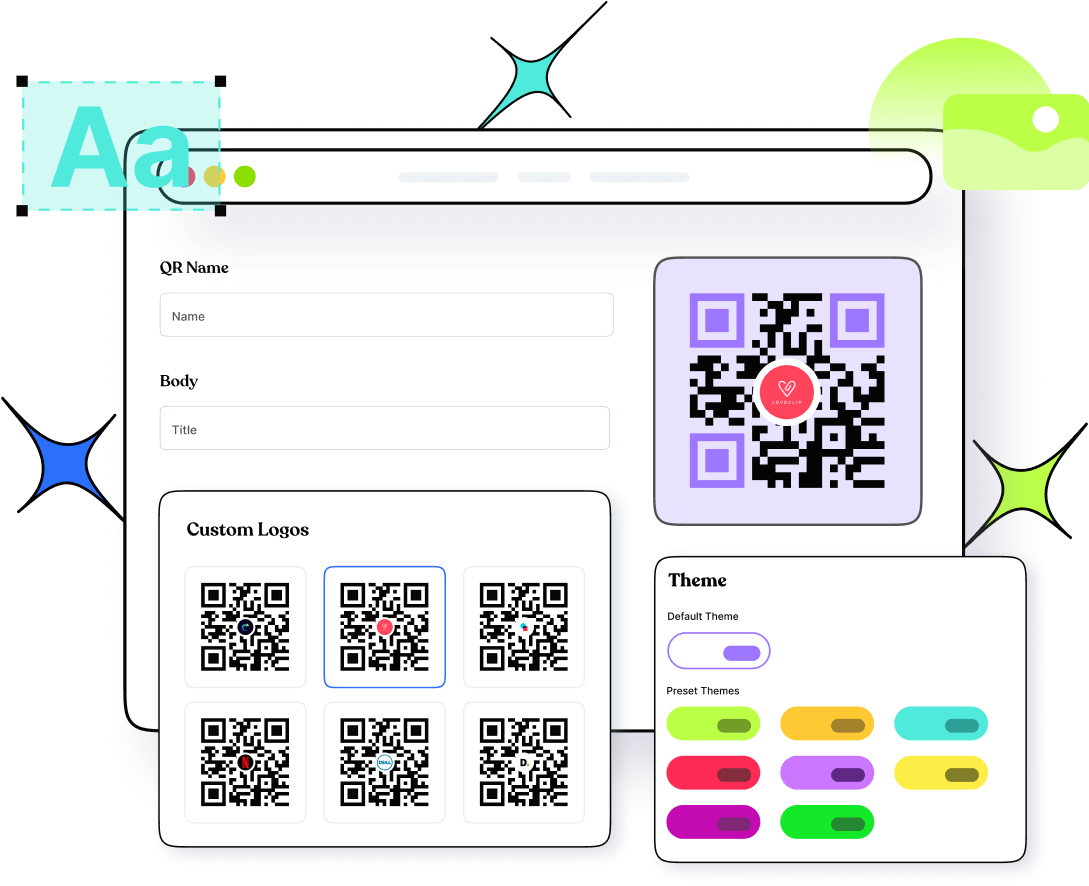
Select colors, patterns, and frames that match your WhatsApp, business, or personal brand identity. Add a logo to make your QR code instantly recognizable and visually appealing.
Step 3: Generate, download, and share
Click to generate WhatsApp QR code, download it in high resolution, and share it anywhere. Use Replug's built-in analytics to monitor every scan and track real-time engagement.
Build a custom WhatsApp QR code with Replug offering added benefits
WhatsApp's built-in QR code is limited to personal chats, can't be customized, and offers zero tracking. But don't worry, Replug lets you generate QR codes for any WhatsApp destination, no matter if it's a business account, click-to-chat link, or support number. You get full design control over colors, patterns, frames, and logo placement, plus multiple download formats (PNG, JPG, SVG) so your code looks professional on anything from packaging to event banners. And with dynamic QR codes, updating the destination anytime is hassle-free without reprinting.
Know exactly what's working in real-time with Replug
WhatsApp gives you no data after someone scans your code. Whereas, Replug captures everything in real time: total and unique scans, location by city and country, device type, and time of day. You can see exactly which placements are driving conversations and which aren't, so every decision is backed by actual data, not guesswork. And with dynamic codes, you can easily update your destination URL anytime without reprinting, keeping your business cards, flyers, and campaigns permanently valid.

Check out the best WhatsApp QR code use cases
Share your unique WhatsApp link and connect with customers, clients, or friends across any platform or medium, both online and offline.
Business cards
Let every new contact skip the number-saving hassle. One scan opens a direct WhatsApp conversation in a flash, making follow-ups faster and friction-free.
Product packaging
Turn every unboxing into a support or sales conversation by adding a QR code for WhatsApp that connects customers to your team in one simple scan.
Storefronts and signage
Place your WhatsApp QR code at checkout counters, windows, or display stands so walk-in customers can reach you without searching for a number.
Marketing and print collateral
Add WhatsApp QR codes to flyers, brochures, and posters to bridge offline campaigns with instant, direct customer conversations.
Email signatures
Turn every outgoing email into a WhatsApp touchpoint by embedding a scannable QR code that opens a chat with you in seconds.
Events and trade shows
Display your WhatsApp QR code on banners and booth materials so attendees can reach out, ask questions, or book follow-ups on the spot.
Frequently asked questions
Create QR codes for everything you share
Manage all your links in one place
No credit card required